
Fortigate - Multiple Azure SAML IdPs
SAML bei Azure einrichten
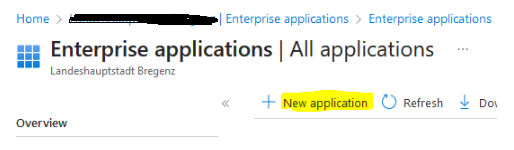
Neue Applikation hinzufügen
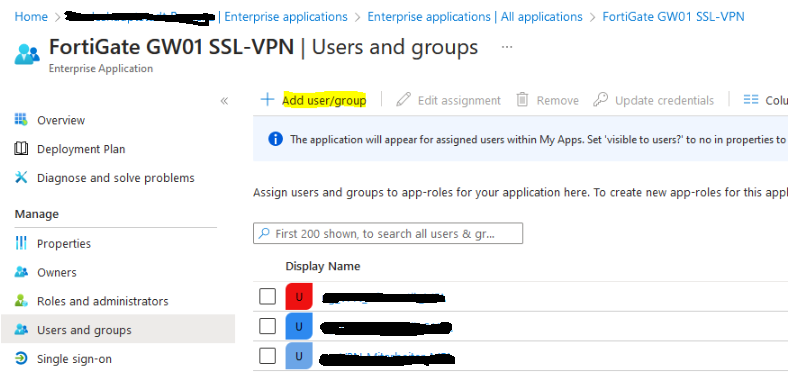
Benutzergruppen berechtigen
SAML einrichten
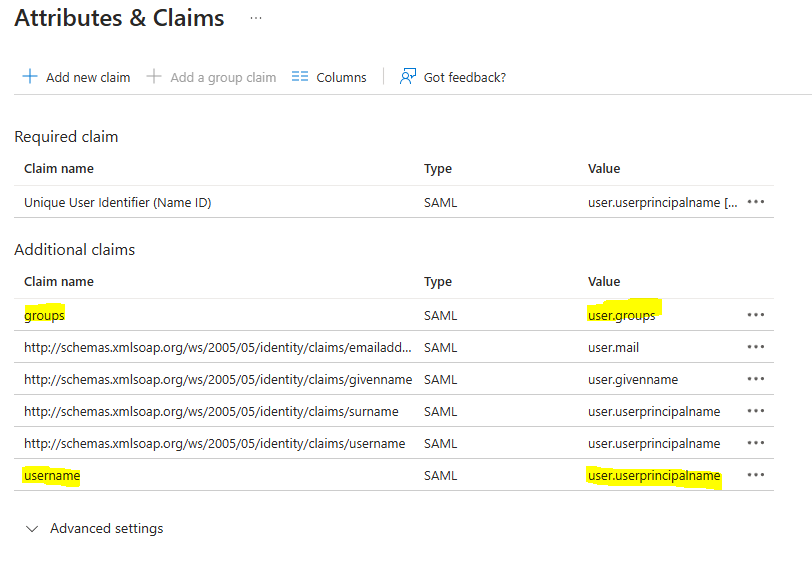
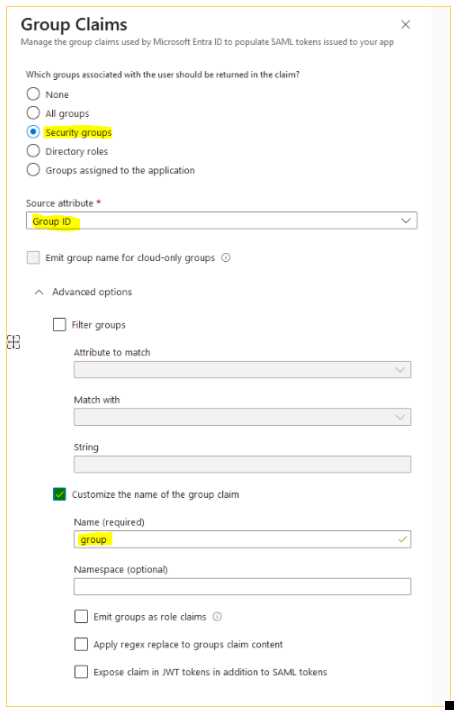
Gruppe und Benutzer Name muss in einer Form übertragen werden die die Fortigate verarbeiten kann.
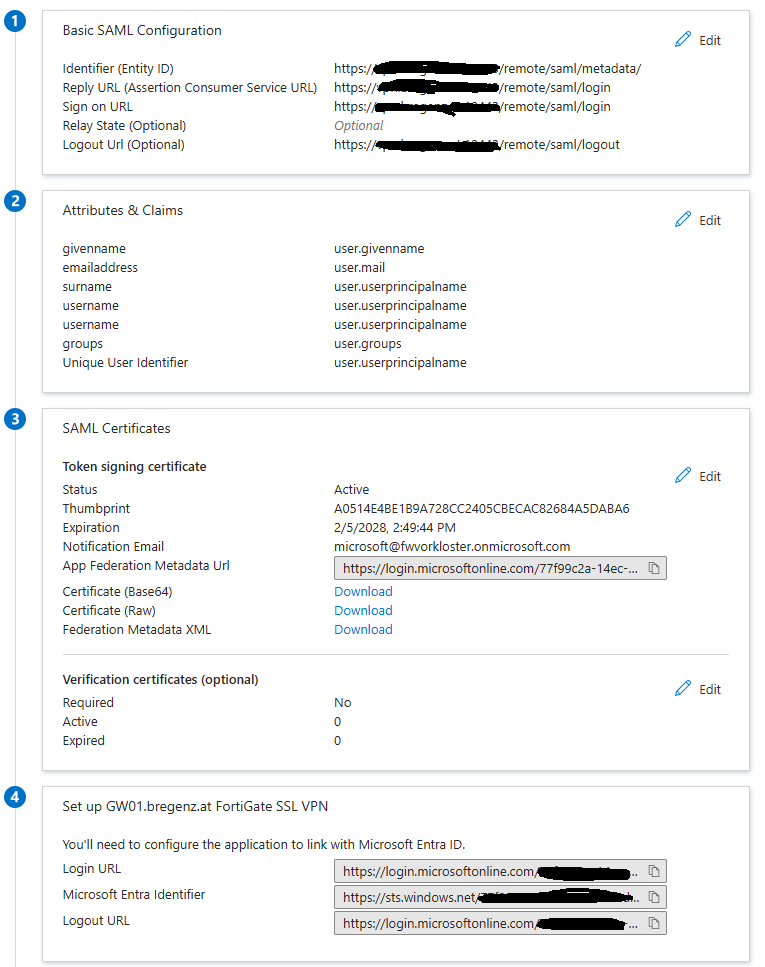
Fortigate SAML einrichten
Zertifikat auf der Fortigate installieren
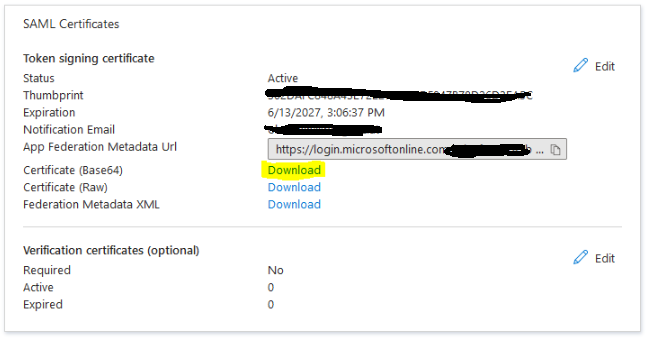
Herunterladen
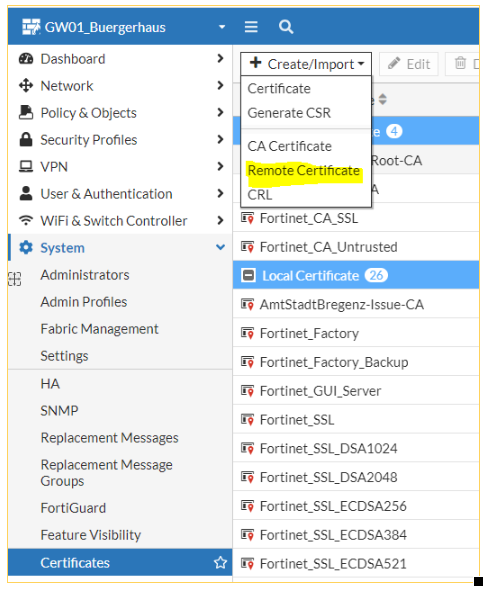
Auf Fortigate installieren
SSO Authenticator per CLI einrichten
config user saml
edit "SAML_Azure_VPN"
set cert "*********-wc-2023"
set entity-id "https://*********:******/remote/saml/metadata/"
set single-sign-on-url "https://*********:*****/remote/saml/login"
set single-logout-url "https://*********:*****/remote/saml/logout"
set idp-entity-id "https://sts.windows.net/*********/"
set idp-single-sign-on-url "https://login.microsoftonline.com/*********/saml2"
set idp-single-logout-url "https://login.microsoftonline.com/*********/saml2"
set idp-cert "REMOTE_Cert_3"
set user-name "username"
set group-name "groups"
set digest-method sha1
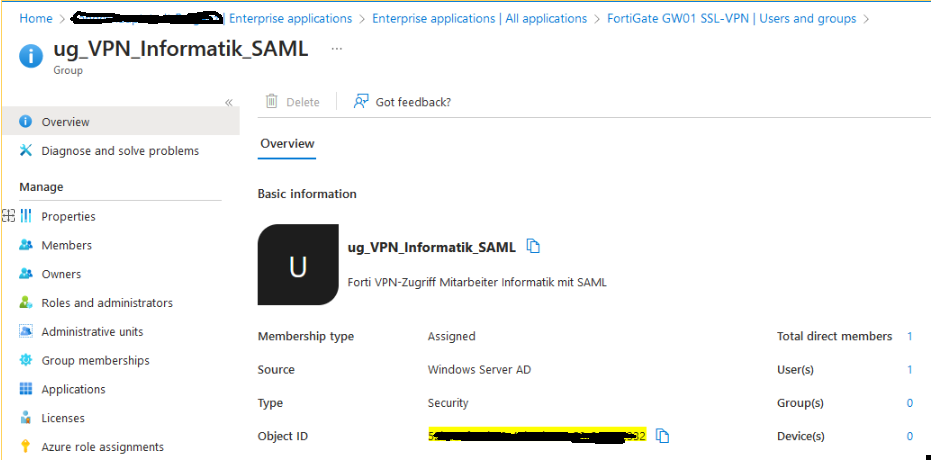
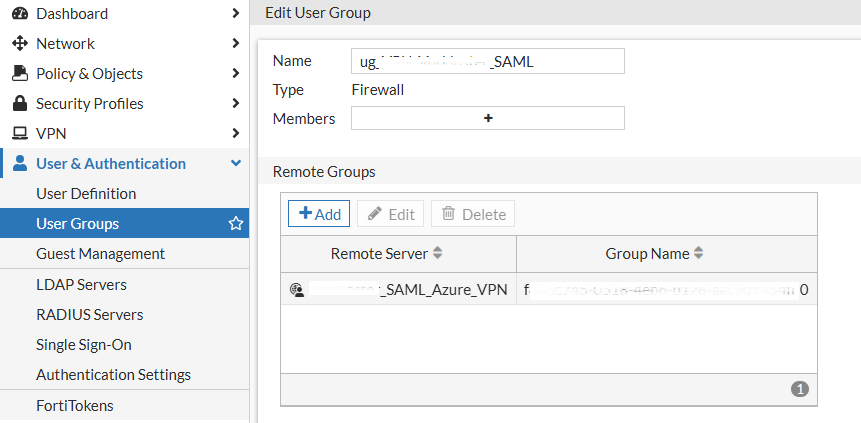
Um auf eine Gruppe filtern zu können, muss als Gruppennamen die Object ID der Azure Gruppe eingetragen werden. Die Werte "username" und "groups" sind case sensitive!
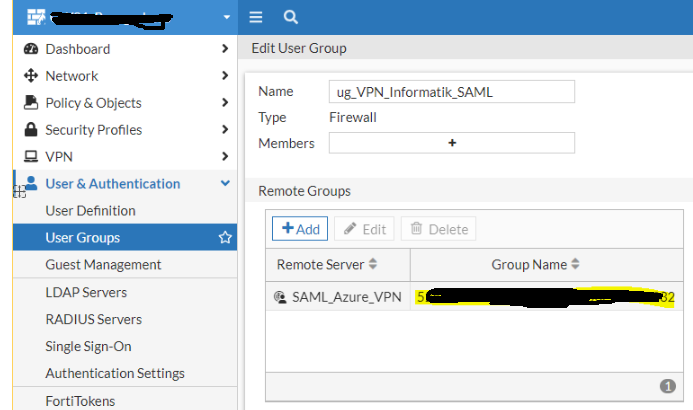
Der Rest ist Standard.
SSL-VPN Portal erstellen
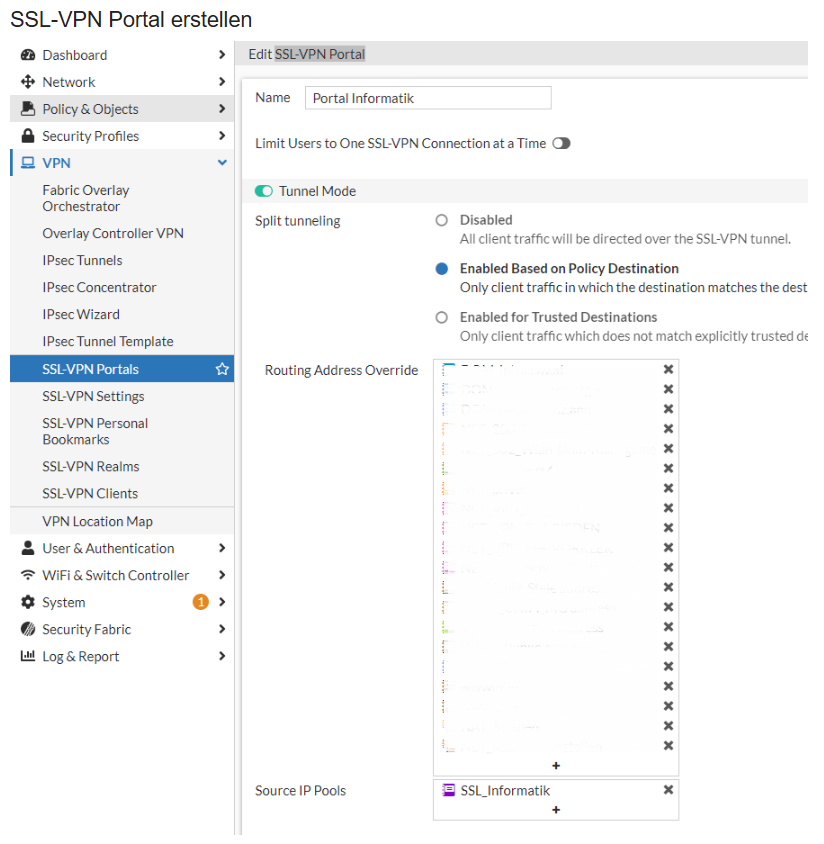
In SSL-VPN Settings zuweisen


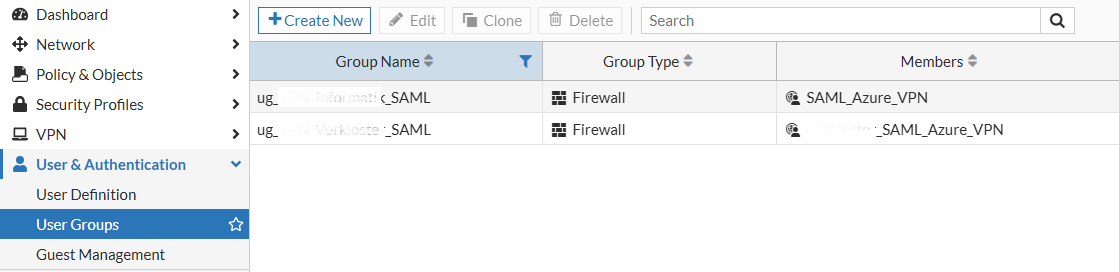
Gruppe einer Policy zuweisen
Debug
diag debug reset
diagnose vpn ssl debug-filter clear
diagnose debug application authd -1
diagnose debug application samld -1
diagnose debug application sslvpn -1
diagnose debug console timestamp enable
diagnose debug enable
Info
https://yura.stryi.com/en/2021-03-05/fortigate-ssl-vpn-azure-mfa/
https://learn.microsoft.com/en-us/entra/identity/saas-apps/fortigate-ssl-vpn-tutorial
https://learn.microsoft.com/en-us/entra/identity/hybrid/connect/how-to-connect-fed-group-claims